Hardware Development Guide
Please Read the ClickUp guide first as this document will heavily rely on knowledge shared there.
Repositories
Altium schematics, like software, are stored in the organization’s GitHub heres how to do that.
Naming:
For PCBs the naming convention is carName-subname-PCB (ex. cielo-telemetry-PCB, cielo-lights-PCB). Cars will often reuse improved versions of previous PCBs; however, please make a new repository when working for a new car that way we can easily distigush what is used where.
To add a new altium project to git
Make sure you are a member of the Solar-Gators GitHub organization.
Create navigate to your existing project. Note: How to make an altium project can be found here TODO.
Open git bash, command prompt (Windows) or terminal (OSX) and run
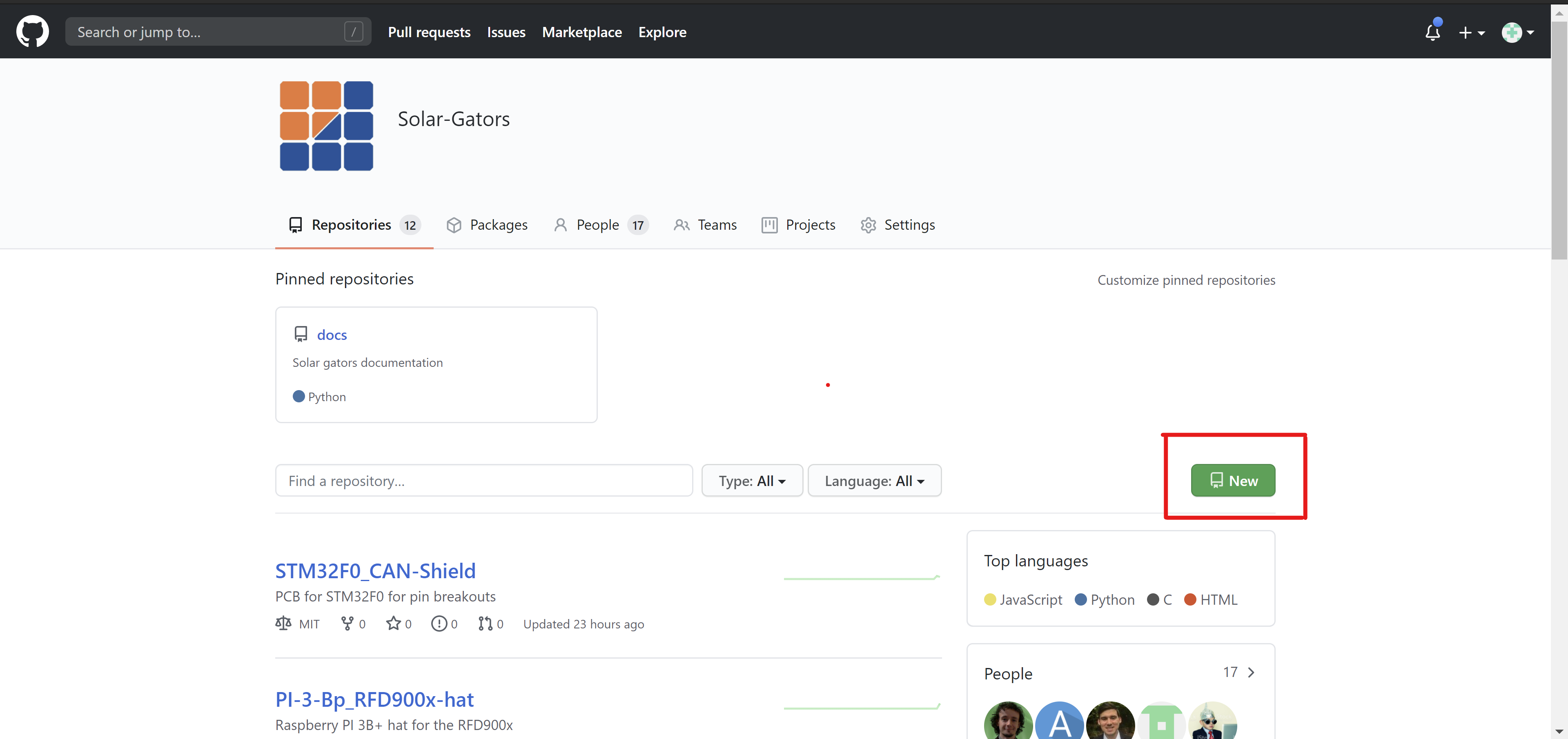
git initCreate a new repository by clicking on the new repository button.
Following the naming convention give the repository a name and a breif description do not add a git ignore or readme.
Create the repository.
On the page following the “…or push an existing repository from the command line” instructions go to git bash and type those lines.
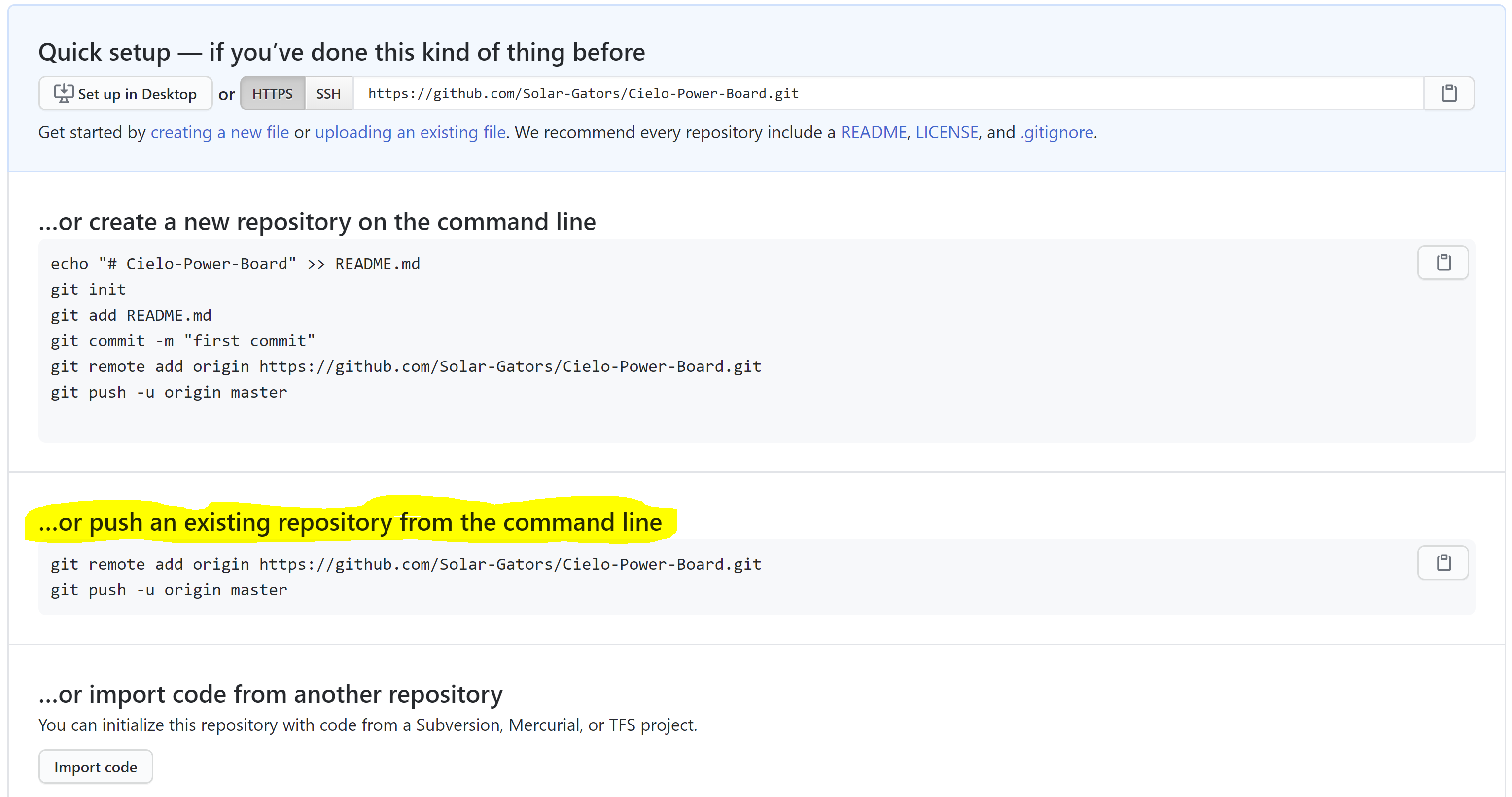
Now that you have set the remote repository for your project it is time to add a .gitignore. The easiest way to do this is make a text file and rename it (including the .txt extension) to .gitignore
A great tool for making .gitingore is here type altium hit create and copy the output.
Open up your .gitignore file and paste the output.
In git bash type
git add .gitignorethis will stage the git ignore file for commit.In git bash type
git commit -a -m "Added git ignore"this will commit the git ignore file.In git bash type
git add .this will add all files and stage them to be commited (Except those in the git ignore).In git bash type
git commit -a -m "First commit"this will add all your files to the repository.In git bash type
git pushthis will update the remote repository with all your changes.
Other Notes Make sure that a proper .gitignore file is made for any new repository. When PCBs are manufactured make sure to tag the commit that was used! How to tag: TODO
Additional Resources TODO
Branching
See the how to branch with ClickUp in the ClickUp documentation.
Continuous integration
TODO